
Some of the best drone shots I’ve ever made have happened in conditions most pilots stay grounded for: heavy mist over a glacier, low cloud breaking over a coastline, fog settling into a river valley at dawn. Fog and clouds add atmosphere, frame compositions, and turn flat landscapes into something cinematic.
They also cause real problems. Sensors panic (and perhaps the drone pilot too!). Drones try to auto-land in mid-air. Cameras fog over. Return-to-home becomes a gamble. And, depending on where you fly, the whole thing may be illegal under your country’s drone regulations.
This guide is for photographers who want to actually fly in these conditions, not just admire other people’s foggy drone shots. I’ve spent years flying all kinds of drones (Mavic 2 Pro, Air 2S, Air 3, Mavic 3, …) in some of the most consistently misty conditions on earth in Iceland & Greenland. Here’s what I’ve learned about doing it safely, legally, and well.
Disclaimer: some of the links in this article are affiliate links, which means I may earn a small commission if you buy through them, at no extra cost to you. As an Amazon Associate I earn from qualifying purchases.

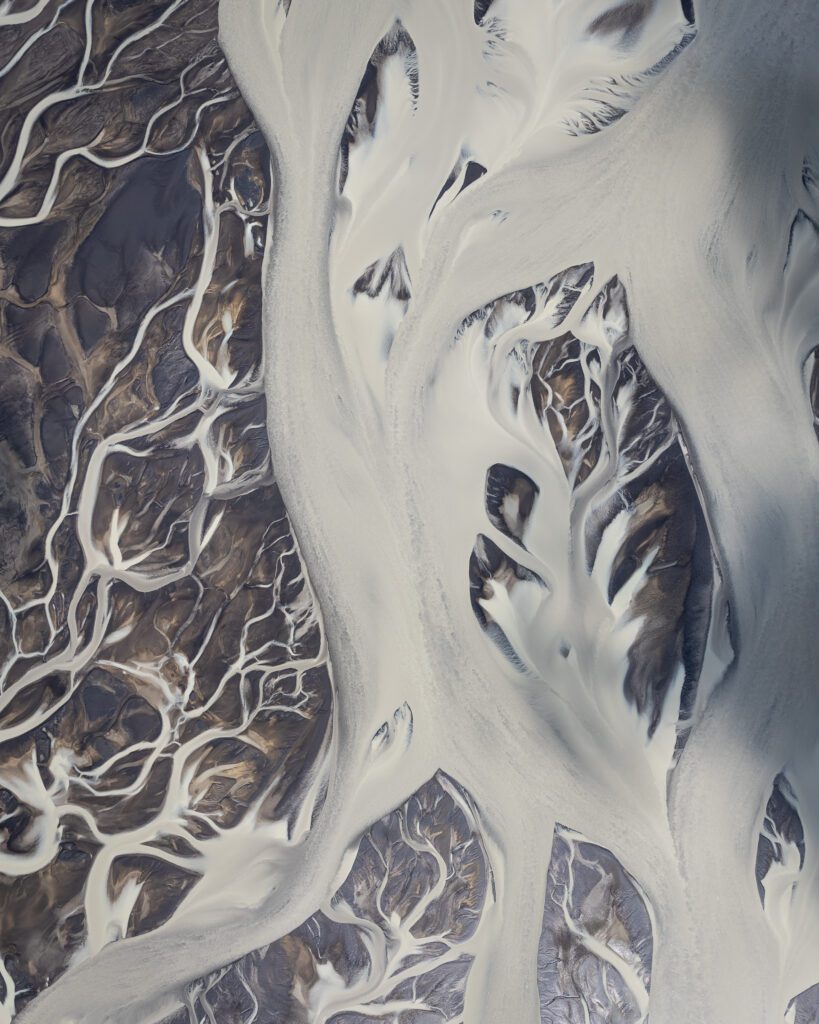
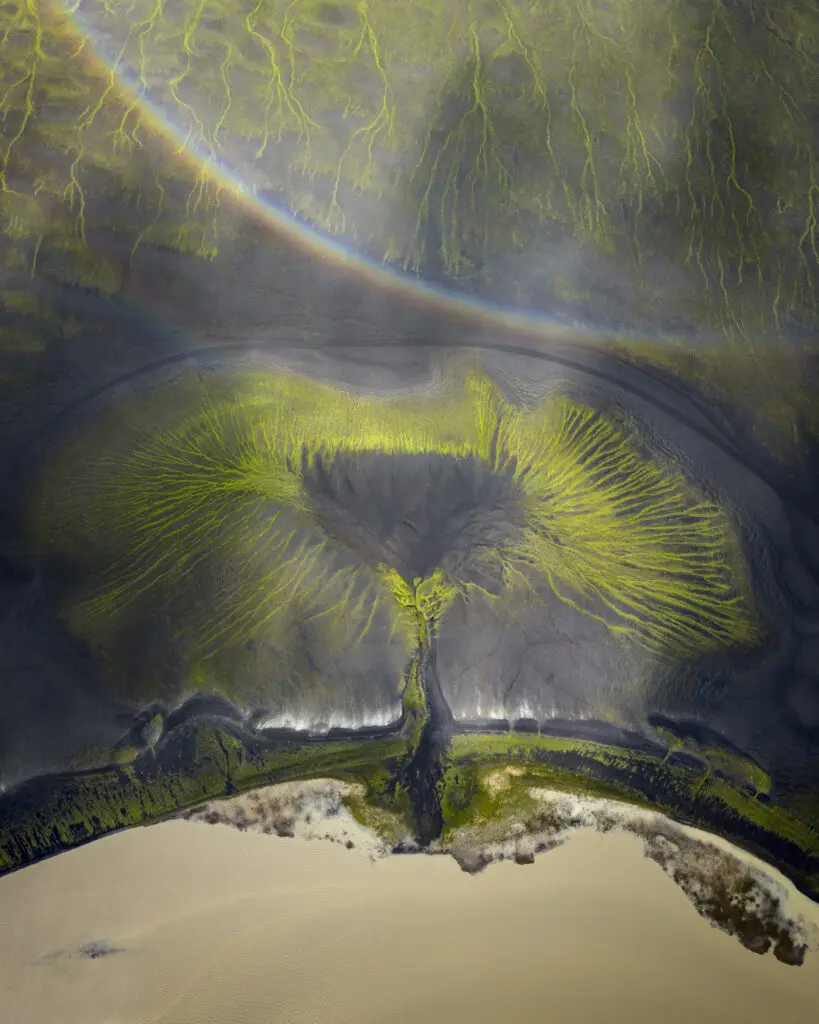
During my first flight with the DJI Mavic 4 Pro, I decided to photograph some of the most colorful river braids that can be found in Iceland. Thanks to the extremely hot weather, low clouds had engulfed the area which made for the perfect framing for my abstract images.
Is It Actually Legal To Fly A Drone In Fog?
Short answer: usually no, technically, but with important nuance.
Most drone regulations worldwide require Visual Line of Sight (VLOS) at all times. That means you, the pilot, must be able to see your drone with your own eyes. The moment fog or cloud obscures the drone from your view, you’ve broken VLOS and you’re flying outside the rules.
Here’s how that plays out under the three regulatory frameworks most readers will be operating under:
- EASA (European Union, EEA, Iceland): Under the Open Category that covers most recreational and commercial drone flying, VLOS is mandatory. There’s no exception for fog. Operating beyond VLOS requires a Specific Category authorisation, which most photographers don’t have.
- UK CAA: Same framework as EASA in practice. VLOS is required for the Open Category and the A2 Certificate of Competency. BVLOS operations require specific operational authorisation from the CAA.
- FAA (United States, Part 107): VLOS is the default. Flying beyond visual line of sight requires a BVLOS waiver, which the FAA only grants for specific operational use cases.
So where does that leave landscape photographers like me, who want to use fog and cloud creatively?
The honest gray area: there’s a meaningful difference between flying into a thick cloud bank (clear VLOS violation) and flying near patchy mist where you can see your drone clearly the entire time. Most of my own foggy-conditions shots are made in the second scenario — keeping the drone close, keeping it in sight, and only briefly losing visual contact at most.
That’s not a regulatory loophole, it’s a discipline. Misty conditions can still produce dramatic photos when you fly responsibly within VLOS. The “drone above the clouds” shots you see online are mostly either operationally authorised commercial flights, made in jurisdictions with looser rules, or just operators flying outside the regulations and hoping nothing goes wrong.
Check your local rules before flying. In Iceland, my full guide to drone flying rules in 2026 covers this in detail.


Fog, low clouds, mist and even thick sandstorms can add a lot of atmosphere to images. It’s important to follow regulations but also to understand that it’s not because you see fog on a photo, that rules were broken.
When The Sensors Panic: What Fog Does To Your Drone
The first time it happened to me was on an adventure in the Icelandic Highlands where we were surrounded by low clouds moving in and out of the area. I was only 100 meters up, between the clouds, lining up a composition I’d waited a while for. But when I tried changing my perspective, the drone stopped descending. The DJI Fly app threw an obstacle warning. Then it tried to auto-land in the middle of the sky.
What had happened: the obstacle avoidance sensors had decided the cloud directly below the drone was a solid surface. They weren’t wrong, exactly. Fog or low cloud is technically something the sensors can read as an obstacle. But in this context, that “obstacle” was the only thing between me and a new perspective on the same subject.
I’ve now seen this exact behaviour on a DJI Mini 3 Pro, Air 3, Mavic 3 Pro, and Mavic 4 Pro. It’s not a bug. It’s the sensors doing their job in conditions they weren’t really designed for. The fix is to turn them off when you know you’re flying in conditions that will confuse them.
Here’s what I do every time I fly in fog, mist or low cloud:
- Switch to Sport mode before takeoff. Sport mode disables most obstacle avoidance, and it lets you switch back to Normal mode the moment you’re out of the mist.
- Manually disable Vision Positioning and Obstacle Sensing in the app. Sport mode doesn’t disable the bottom-facing downward sensor, which is the one that triggers auto-landing. To disable that too:
- Open Settings from the top right corner of the DJI Fly app
- Tap Safety
- Scroll down to Advanced Safety Settings
- Disable both Vision Positioning and Obstacle Sensing
- Re-enable both the moment you’ve cleared the cloud. I treat this as part of the same checklist as switching back from Sport to Normal mode. The sensors are useful and you want them on for everything else. Especially so you don’t surprise yourself when you fly back to your take-off point.
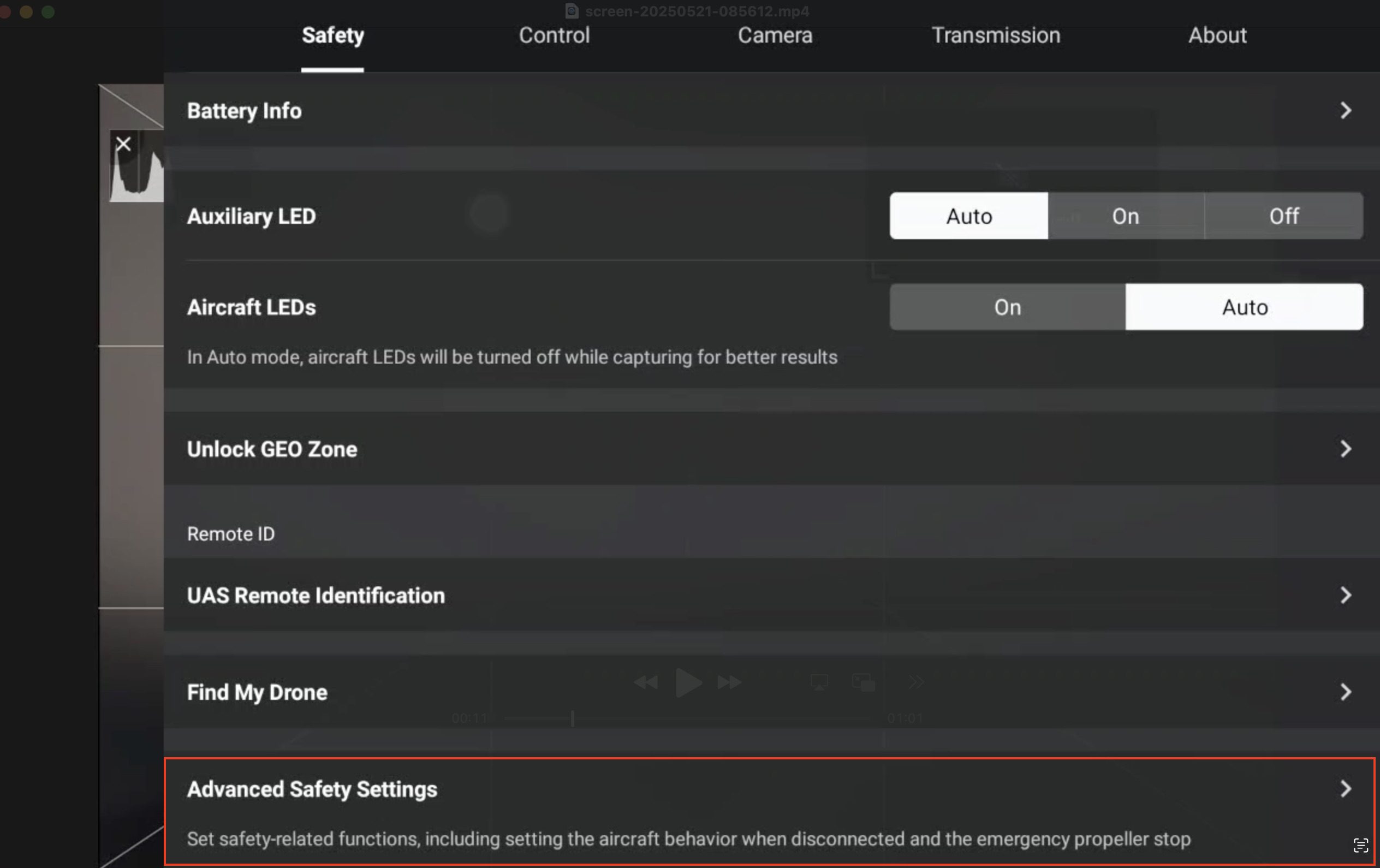
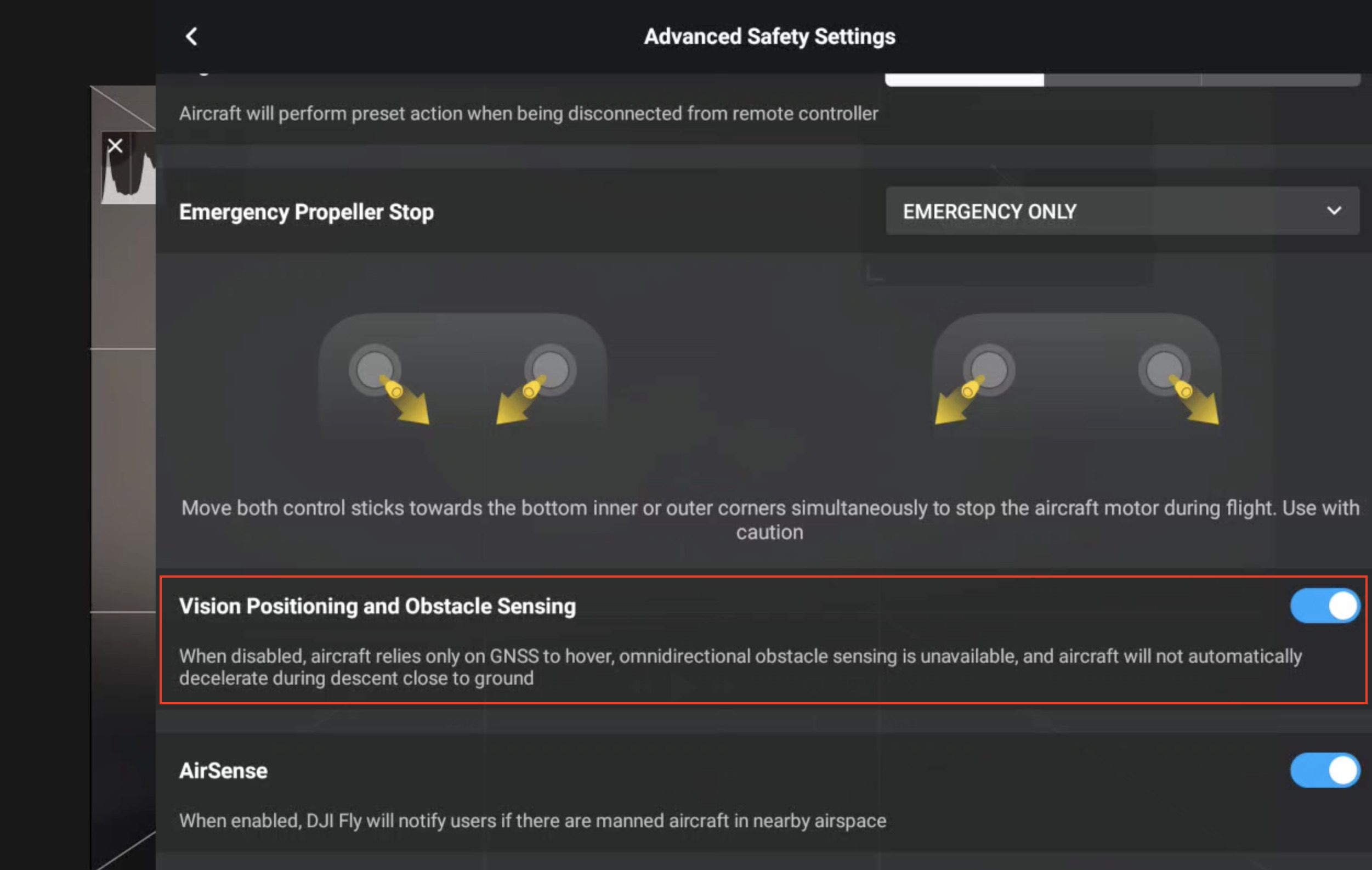
The obstacle avoidance and vision sensors can be easily disabled in the DJI Fly app on either your smartphone or dedicated controller.
A few things worth knowing about disabling these sensors:
- You lose precision hover. Without Vision Positioning, the drone drifts more in light wind. Account for this when composing.
- You can still land manually. Bring the drone in low yourself; the motors won’t shut off mid-air just because the sensors are off.
- This is not the same as disabling GPS. Your home point and return-to-home function still work normally.
What Can Actually Go Wrong (& How To Recover)
Disabling the obstacle sensors solves the most common fog problem. It doesn’t solve the rest of them. Here are the tricky situations I’ve personally encountered or seen happen on workshops and, more importantly, what to do when they come up.
- The lens fogs over mid-flight.
Common in cold, humid conditions, especially when the drone has been in a warm bag and you launch into cold air. Once the front element is fogged, you’re not getting that shot but you can usually clear it by flying upwards and forwards quickly while tilting the camera down. The airflow over the lens evaporates the condensation in 20–30 seconds. The same trick works for water droplets from light mist or drizzle. Pitch the camera up and down while rotating the drone on the Y-axis and most droplets shake off. - Return-to-home becomes a gamble.
This is can be a scary one. If conditions close in between launch and recall, RTH may bring your drone back through cloud you can’t see through. The drone doesn’t know it’s in cloud. It will just fly the shortest path home. I always recommend to bring the drone back manually. If you can see dense fog rolling in toward your launch position, fly the drone back early. - Focus locks on the wrong thing.
When you’re flying near a cloud or mist bank, autofocus may lock onto the cloud itself instead of the landscape behind or beside it. Check your focus point before shooting and tap manually if needed. - Battery temperature drops fast.
Cold, wet air pulls heat out of LiPo batteries quickly. Expect 10–20% less flight time than the spec sheet promises. Land earlier than you would in clear conditions. And don’t forget about the wind! - GPS satellites drop.
Dense cloud doesn’t usually block GPS, but heavy precipitation alongside fog can reduce satellite count. If your reported satellites drop below 8–10, bring the drone back. - The “I lost sight of it” moment.
Sometimes the drone moves into a denser patch of mist than expected and you genuinely can’t see it. Do not panic-fly. Hold the sticks neutral, let the drone hover, check the live feed and the map. If you have any altitude buffer, gain altitude (clouds are usually layered and going up often clears visibility). Only then move the drone in your direction.

Low but mostly translucent clouds won’t block your VLOS but they may still trigger the sensors and cause strange behaviour.

Fast-moving low clouds are a photographer’s dream because of how it can create dappled light. However, it can be problematic to return home if you don’t give yourself enough buffer.
What To Actually Photograph In These Conditions
Once you’ve solved the technical problems, fog and mist become some of the most powerful creative tools in landscape drone photography. Here’s what to look for.
The common thread: fog is most useful when it’s partial. Full whiteout gives you nothing to photograph and is unsafe to fly in. Look for edges, thinning, shafts of light, layered cloud at different altitudes.
Cloud as foreground. If you can fly above a partial cloud layer with the landscape visible underneath, you get a foreground element that no ground-based photographer can replicate. The cloud needs to be thin enough to maintain VLOS and partial enough to let the landscape read.

Mist as a frame. A bank of low mist sitting in a valley turns the rest of the landscape into compositional elements. The fog acts as negative space.

Partial visibility for mood. Sometimes the best foggy shots are the ones where half the frame is obscured. Mystery is a strong compositional principle and fog is the easiest way to introduce it.

Light shafts or sun beams. When sunlight breaks through cloud at an angle, the resulting “god rays” are dramatic from the air.

Flying In Fog In Iceland Specifically
Iceland sits where warm Atlantic air from the Gulf Stream collides with cold Arctic air. The result is some of the most consistently foggy and misty conditions in the North Atlantic, particularly in summer when warm sea air pushes inland and hits cold mountain valleys.
A few things I’ve learned from flying drones here professionally:
- Coastal fog (advection fog) is most common in summer mornings, especially along the south coast and Snæfellsnes Peninsula. It usually burns off by early afternoon if the sun gets through.
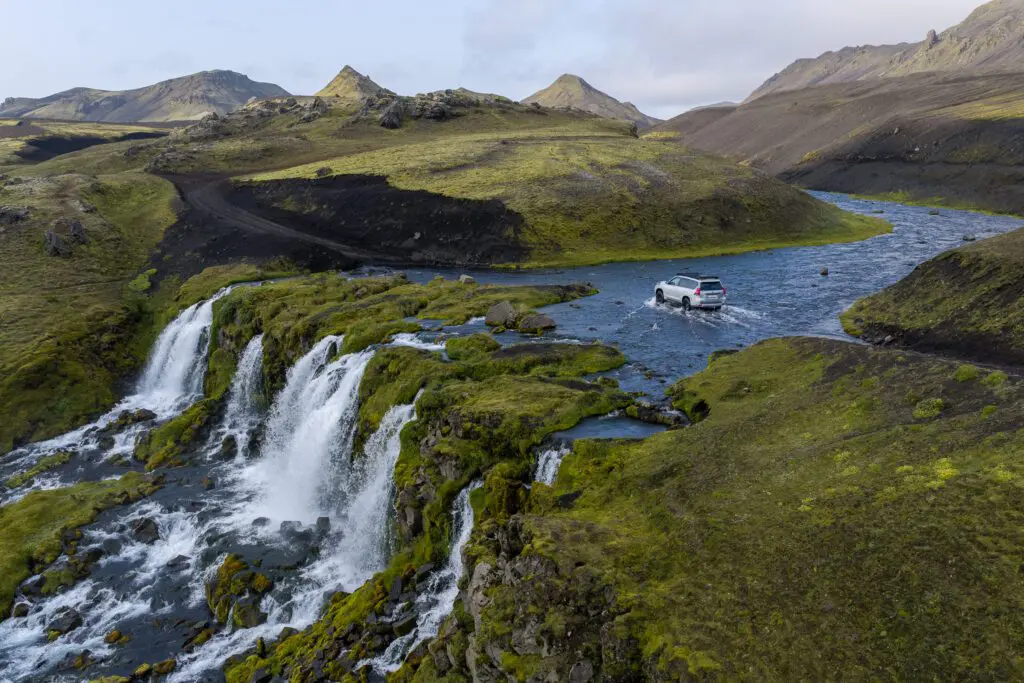
- Highland fog often sits at altitude. This is the most photogenic kind! You can fly above or below a clear cloud layer with mountains pushing through it. Especially the areas around Fjallabak, Landmannalaugar and Langisjór become especially beautiful in these conditions.
- Winter is not fog season, it’s blizzard season. Different problem, not covered here. Don’t confuse the two.
- Local pilots watch the wind direction. Onshore wind from the south or southwest pushes sea fog inland. Northerly wind usually clears it.
If you’re coming to Iceland to photograph in these conditions, I cover this and more on my drone-focused workshops in the Icelandic Highlands and on private tours.

I love flying my drone in moody conditions. Interesting looking clouds are the perfect way to add depth to your images or to close off the frame at the top.

You can even use clouds or fog as a way to frame your compositions or add a touch of mystery to them.
Frequently Asked Questions
Is It Legal To Fly A Drone In Clouds?
In most jurisdictions, no. EASA (covering the EU, EEA and Iceland), the UK CAA, and the FAA Part 107 framework all require Visual Line of Sight (VLOS). This means you must be able to see your drone with your own eyes at all times. Flying into a cloud thick enough to obscure the drone breaks VLOS. Light mist where the drone remains visible is usually fine, but the line is “can I see my drone right now,” not “is there cloud in the area.”
Will Fog Damage My DJI Drone?
Not usually, in short exposures. Modern DJI consumer drones (Mavic 4 Pro, Mini 5 Pro, Air 3 etc.) are not waterproof, but they handle flights through light mist without lasting damage. Sustained exposure to wet conditions, heavy mist, or drizzle is a different story as moisture can reach electronics, batteries cool fast in cold humid air, and props can ice up below freezing. Keep flights short and inspect the drone afterwards.
How Do I Disable Obstacle Sensors On My DJI Drone For Foggy Conditions?
Switch to Sport mode for the main obstacle sensors, then go to Settings → Safety → Advanced Safety Settings in the DJI Fly app and disable Vision Positioning and Obstacle Sensing. This stops the drone from misreading fog as an obstacle or a flat landing surface. Re-enable both as soon as you’re clear of the cloud.
Can Fog Cause My Drone To Crash?
Indirectly, yes. The most common scenarios: the drone auto-lands mid-air because the bottom sensor reads fog as a flat surface (disable the sensor); return-to-home flies through cloud at altitude (always recall manually before conditions close in); battery dies faster than expected in cold wet air (land earlier).
How Do I Land A Drone In Fog?
Switch to Sport mode or disable the bottom sensor first, then bring the drone in manually rather than relying on auto-landing. Keep it close enough to see throughout the descent. If you’ve lost sight of it, hover and gain altitude until you can see it again. Don’t keep descending blind.
What’s The Best Drone For Flying In Fog?
Any modern DJI drone works once you’ve disabled the relevant sensors. Larger drones (Mavic 4 Pro, Mavic 3 Pro) handle wet/cold conditions better than sub-250g drones because of weight stability and battery capacity. That said, the Mini 5 Pro is genuinely capable in light mist.
Does Fog Affect Drone GPS?
Generally no. Fog itself doesn’t block GPS satellite signals. Heavy precipitation alongside fog can reduce satellite count slightly. If your satellite count drops below 8-10, treat the flight as compromised.
The Bottom Line
Flying a drone in fog, mist or low cloud is one of the few situations in landscape photography where the conditions everyone else avoids are exactly the conditions you want. But it requires three things: knowing the legal limits of your jurisdiction, configuring your drone to not panic-land on you, and the discipline to bring the drone home before conditions close in.
Get those three right, and you’ll come home with shots most photographers, drone or otherwise, will never make.
DISCOUNT
The Drone Photography Masterclass – Video Course
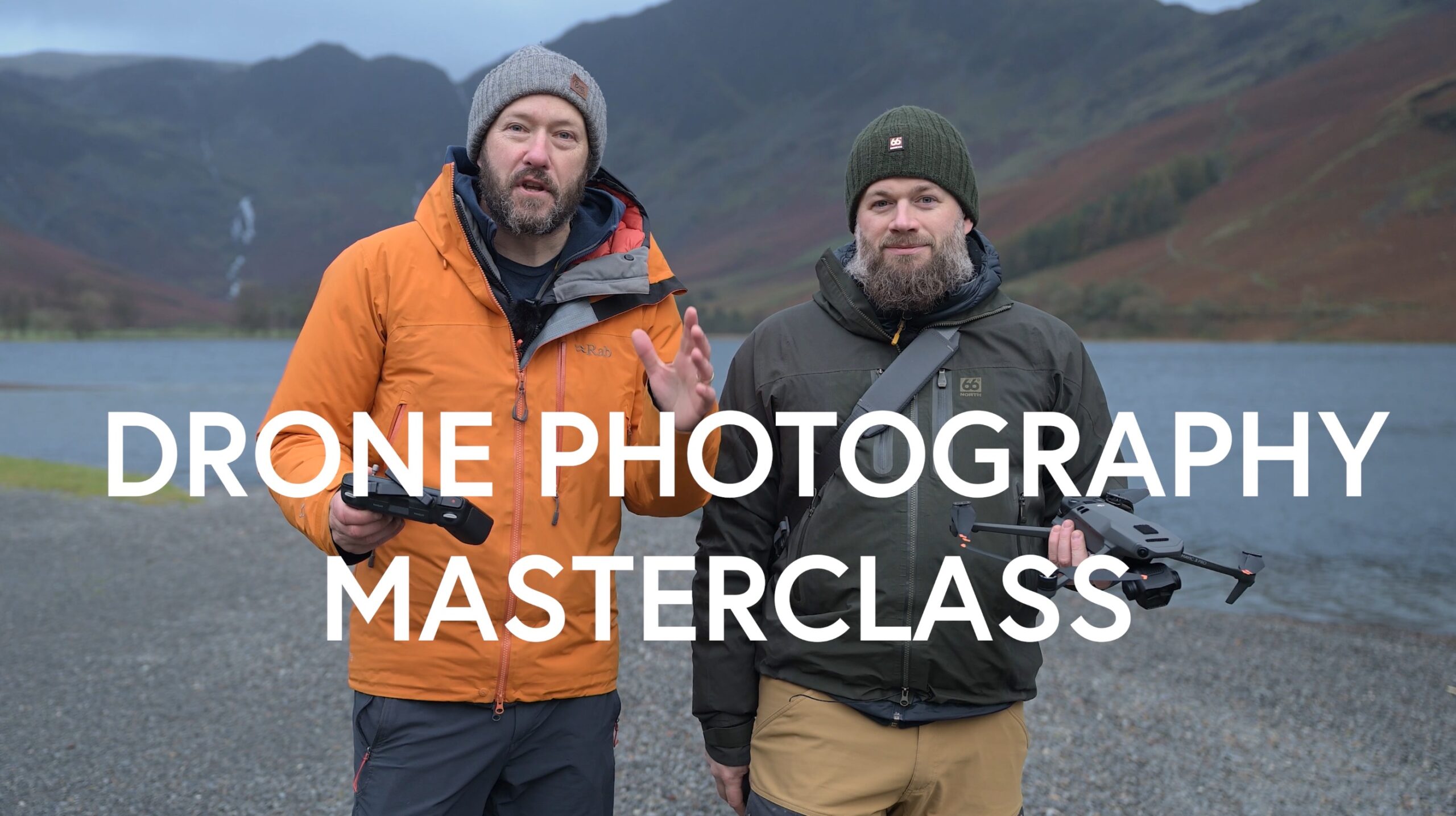
Nigel Danson & Jeroen Van Nieuwenhove‘s complete drone photography video masterclass will explore everything you need to know to start creating the best aerial photographs using any type of drone in 50+ detailed videos. Whether you are a complete beginner or an advanced drone pilot, this video course contains a vast amount of information to level up your drone photography skills.
Discover Jeroen’s Photo Workshops in Iceland, Greenland & Beyond
Ready to take your photography to the next level? Join me, Jeroen Van Nieuwenhove, on unforgettable photo workshops in Iceland, Greenland, Antarctica and other exciting destinations. Whether your passion is wildlife photography, bird photography, landscape adventures, or mastering drone photography, each workshop is designed to give you hands-on guidance in some of the world’s most spectacular locations.
From puffins in the midnight sun to Arctic foxes in the wild, from glaciers and volcanoes to dramatic coastlines seen by drone – these journeys are more than workshops; they’re once-in-a-lifetime experiences. Group sizes are kept small, ensuring personal mentoring and plenty of shooting opportunities.
Looking for something specific? Check out Jeroen’s…
- Wildlife & Bird Photography Workshops (Puffins, Arctic Foxes)
- Drone Photography Workshops
- Photo Workshops in Iceland
- Photo Workshops in Greenland
- Photo Workshops in Antarctica
Spots are limited – secure your place today!
Are You Looking For A Specific Photo Workshop?
All Upcoming Photography Workshops With Jeroen
Explore all upcoming photography workshops with Jeroen and take your skills to the next level in some of the world’s most extraordinary locations. From the volcanic landscapes of Iceland to the ice-filled fjords of Greenland and the wildlife-rich polar regions such as Antarctica, each workshop is designed to help you grow creatively while experiencing unforgettable moments in the field. Browse all upcoming departures below and find your next adventure!
LAST SPOTS
LAST SPOT
LAST SPOTS
OPEN FOR BOOKINGS
OPEN FOR BOOKINGS
LAST SPOTS
WAITLIST
WAITLIST
WAITLIST
WAITLIST
WAITLIST
WAITLIST
WAITLIST
What Previous Participants Shared About Their Experience
Choosing the right photography workshop is about more than just visiting iconic locations. It’s about experience, safety, timing, and personal guidance. Below you’ll find honest reviews from photographers who have joined me on landscape, wildlife & drone photo workshops in Iceland, Greenland and other locations. These testimonials reflect real experiences in small groups, hands-on instruction in challenging conditions, and the level of care Jeroen aims to bring to every workshop.
These reviews are verifiable on Jeroen’s public Google Business profile.


Support Jeroen’s Work
As an independent photographer, Jeroen partially relies on your support to keep producing worthwhile content such as blogs, photographs, books and much more. If you want to support his work, it is possible to do so by buying his e-books & books.
You can also sign up to the newsletter to stay up to date on new blog posts, projects, workshops and other interesting information.
Thank you for considering!





Vielen Dank für die Tips, aber eine Frage habe ich noch. Wie ist das mit den Rotoren und Wassertropfen, kann es da nicht zu Kurzschlüssen in den Motoren kommen? Vielen Dank!
While DJI does not recommend you fly in rain or fog, I have never encountered any issues doing so. I think the rotors keep rain from entering the motors. I have flown in heavy rain (by accident) and have never gotten into trouble.
Thanks for the article and the valuable tips Jeroen! Does this mean you didn’t encounter these obstacle avoidance and auto-landing issues when you flew the Mavic 4 Pro in those clouds recently? I’m curious if there’s a difference in behavior between this new drone and the Mavic 3 Pro.
I haven’t encountered any different behavior in that regard. In fact, when I took the photographs that accompany this article, I encountered no issues whatsoever that required me to switch off all sensors. However, I have had disable the sensors in the past to avoid auto-landings with my Mavic 3 Pro.
Great article! Important tips to remember. Fantastic shots, as well. I’m inspired to try some compositions with cloud next time I have the opportunity!